


REDMAGIC 11 Air
- Regular price
- $629.00
- Sale price
- $629.00
- Regular price
-
- Unit price
- per
$-5
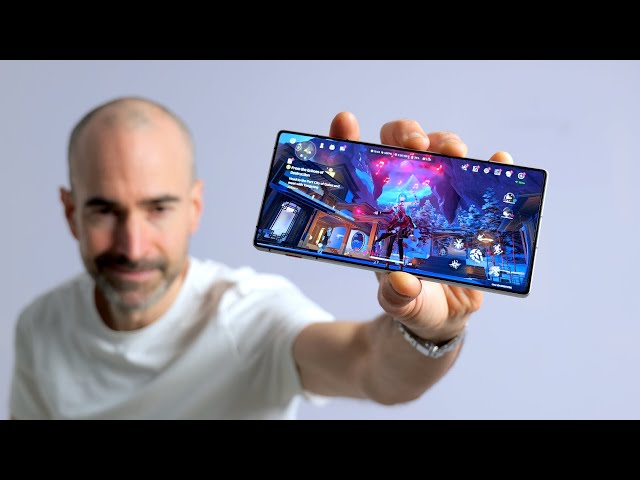
- Transparent design that turns heads while staying feather-light in your hand.
- Powered by Snapdragon 8 Elite and RedCore R4, delivering seamless, lag-free gaming.
- REDMAGIC ICE Cooling System with Active Airflow keeps your device cool even during marathon sessions.
- Massive 7,000 mAh battery with 80W fast charging keeps you playing without interruptions.
- Notch-less full-screen experience with 144Hz refresh rate for smooth visuals.
-

Reliable warranty and 15-day returns
-

Free shipping when ordering a phone


- REDMAGIC 11 Air Phone x 1
- Clear Phone Case x 1
- Power Adapter x 1
- Type-C Data Cable x 1
- SIM Tray Ejector x 1
- Quick Start Guide x 1
See Through the Game


Hear What the Experts Are Saying


FAQs
REDMAGIC phones are high-performance gaming devices designed for an ultimate mobile experience. However, connectivity depends on the "handshake" between the device and the carrier's regional protocols. Please use this guide to optimize your connection:
Step 1: Hardware & Band Verification.
Confirm the device can physically receive the signal. Visit our specs page to verify your model supports the carrier’s primary bands, and use third-party sites to check coverage in your area.
Note: Even with hardware support, high-speed connectivity depends on carrier Provisioning. If the carrier hasn't optimized 5G/4G signaling parameters for non-branded models in your region, 5G/4G may not be supported; please check if 3G/2G is available.
Step 2: SIM Card & Account Types.
If bands are supported but connection fails, it often stems from "SIM Card Contract Restrictions." Many carriers bind SIM cards to specific models (IMEI-locking). These "restricted lines" may block other devices. Check your monthly bill; if you are in a "device installment" or "lease" period, or if the plan details limit usage to specific models, your SIM might be locked. We suggest changing your plan or trying a new, unrestricted SIM card.
Step 3: Manual Network Activation.
If hardware and account status are confirmed, try manual data activation. Visit your carrier's support site and search for "Android APN Settings" to get key parameters like APN, MMSC, MCC, MNC, and APN Type. Go to "Settings > Mobile Network > Mobile data > Access Point Names (APN)" to create and save a new profile, then restart the phone.
Note: If standard APN fail, your SIM may be fully restricted, requiring a replacement with a generic universal SIM.
If the issue persists, it may be due to a delay in the carrier’s equipment database synchronization. There can occasionally be a lag between a new phone launch and full protocol recognition by regional carriers.
The REDMAGIC 11 Air features a next-generation BOE Q10 display with advanced under-display luminous material.
Yes. It is certified by SGS for Low Blue Light Eye Care, helping reduce eye strain during extended use.
Between the time a device leaves the factory and arrives to the user, our R&D team continues to optimize the system. New software versions often include important improvements to performance, stability, and overall user experience.
To ensure you enjoy the best and most up-to-date experience, we strongly recommend installing the latest system update as soon as you set up your device.
REDMAGIC(Intl) Store
This store ships to North America, including the USA (excluding PO Box addresses).
REDMAGIC phones are high-performance gaming devices designed for an ultimate mobile experience. However, connectivity depends on the "handshake" between the device and the carrier's regional protocols. Please use this guide to optimize your connection:
Step 1: Hardware & Band Verification.Confirm the device can physically receive the signal. Visit our specs page to verify your model supports the carrier’s primary bands, and use third-party sites to check coverage in your area. Note: Even with hardware support, high-speed connectivity depends on carrier Provisioning. If the carrier hasn't optimized 5G/4G signaling parameters for non-branded models in your region, 5G/4G may not be supported; please check if 3G/2G is available.
Step 2: SIM Card & Account Types.If bands are supported but connection fails, it often stems from "SIM Card Contract Restrictions." Many carriers bind SIM cards to specific models (IMEI-locking). These "restricted lines" may block other devices. Check your monthly bill; if you are in a "device installment" or "lease" period, or if the plan details limit usage to specific models, your SIM might be locked. We suggest changing your plan or trying a new, unrestricted SIM card.
Step 3: Manual Network Activation.If hardware and account status are confirmed, try manual data activation. Visit your carrier's support site and search for "Android APN Settings" to get key parameters like APN, MMSC, MCC, MNC, and APN Type. Go to "Settings > Mobile Network > Mobile data > Access Point Names (APN)" to create and save a new profile, then restart the phone. Note: If standard APN fail, your SIM may be fully restricted, requiring a replacement with a generic universal SIM.
If the issue persists, it may be due to a delay in the carrier’s equipment database synchronization. There can occasionally be a lag between a new phone launch and full protocol recognition by regional carriers.


