


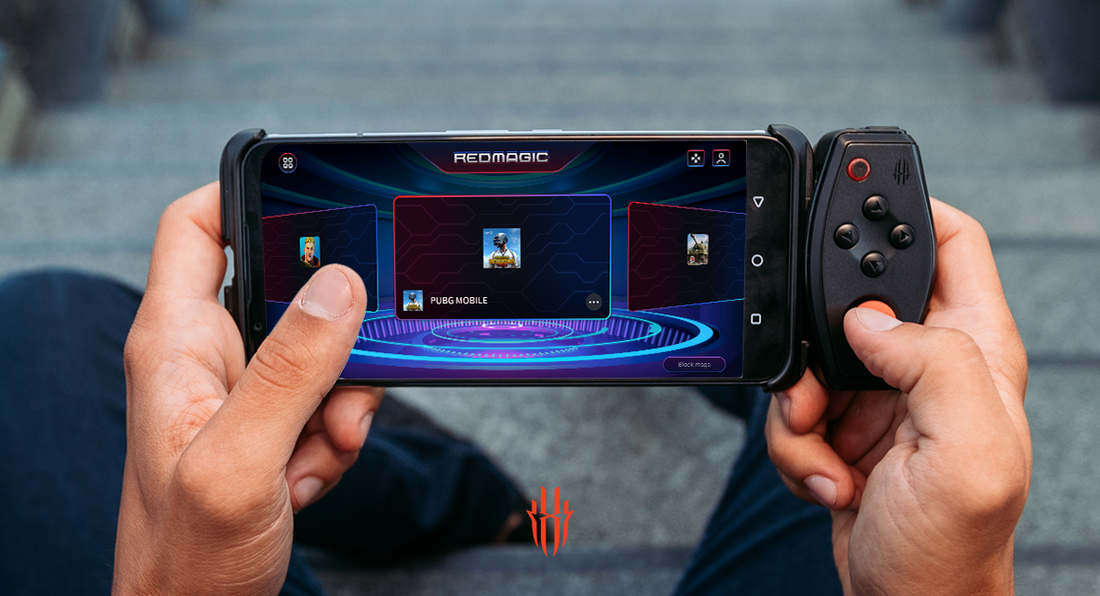
How to improve your mobile gaming experience with REDMAGIC 5S?
Getting the best mobile phone gaming experience is more than just having a powerful phone that can play the most competitive games like Fortnite and PUBG. It also comes down to the special software and modes inside the phone that make gaming and life generally easier with new features and more options and that’s what the Game Space is all about. Here’s a breakdown of some of the cool features found inside the REDMAGIC 5S Game Space.
WhatsApp Overlay

It has always been a pain to answer messages while in the middle of a game. You have to jump out of the game to type up a reply and when you get back to the game, you’re hoping you haven’t lost or worse, that the game didn't close itself, forcing you to load it up all over again. It’s a true pain for us gamers. Wouldn't it be great to be able to send a reply without jumping out of the game? That’s what the WhatsApp overlay feature is all about. Just swipe out the Game Space menu, tap the WhatsApp shortcut and then your WhatsApp will get thrown up over your game in a small window so you can chat while gaming at the same time!
Small Window

Ever been tired of waiting for a match to start up but didn’t want to switch over to another app because you didn't want to miss those first crucial moments? Pretty sure we’ve all been there. Next time you find yourself in this kind of situation on the REDMAGIC 5S, give the Small Window feature a try. Just swipe the Game Space menu out and tap the shortcut button for Small Window and watch as your game shrinks to a tinny window you can move around. You can also open up other applications on the phone without closing or missing anything from your game!
Shoulder Triggers

Playing better is more than just practice and game knowledge, it also comes down to how you play the game. When you’re given bad controls, like a simple touchscreen, of course you’re going to have a bad time. But when you can enhance your controls with some real gaming shoulder triggers, you’ll have to try to lose! When using the Game Space on the REDMAGIC 5S, the touchpad buttons on the side of the phone turn into your shoulder triggers and you can map them to any part of the screen you need them to be. Enhancing your controls so you can finally get a real gaming experience while on your phone!
RED MAGIC Moment

Looking to easily edit your gameplay to show just the highlights in your last PUBG or Fortnite game? Game Space has your back. Turn on screen recording and at the end of each match, the you will be given a list of automatically edited footage ranging from your highlights, your winning moment, or your losing moment if you like. Currently it is only available for select games such as PUBG and Fortnite, but it is a powerful feature and will for sure save you hours of video editing.
Macro

Sometimes to get ahead in your game, you just have to keep repeating the same thing over and over and over and over. The boredom of it all can be worse than losing even. But there’s a better way to get past that though, let the phone play that part for you. Using the macro feature, you can give the phone a series of commands to make on its own. This macro can be then done once with just the press of a button or you can have it repeat to infinity if you like, diligently getting you past the most tedious gameplay moments.
Do you feel like life is getting easier? More enjoyable? I do! If you want to try your hand and see how having the Game Space will improve your gaming experience, just hop on over and try it out on the REDMAGIC 5S.
What are the Best REDMAGIC Gaming Phone Accessories?
Best Sellers


REDMAGIC Branded Merch & Swag
- Regular price
- From $1.90
- Sale price
- From $1.90
- Regular price
-
$19.90 - Unit price
- per


REDMAGIC Astra 2 Gaming Tablet
- Regular price
- From $749.00
- Sale price
- From $749.00
- Regular price
-
- Unit price
- per


REDMAGIC Shadow Blade Gamepad 3
- Regular price
- From $124.00
- Sale price
- From $124.00
- Regular price
-
$129.00 - Unit price
- per


